Sweep

Delete every email from one sender.
In two clicks.

Four years of a newsletter you never opened, gone. Sweep finds every message from a sender and selects the lot — then you press Delete.

No sign-in · No inbox access · No data collected · Open source

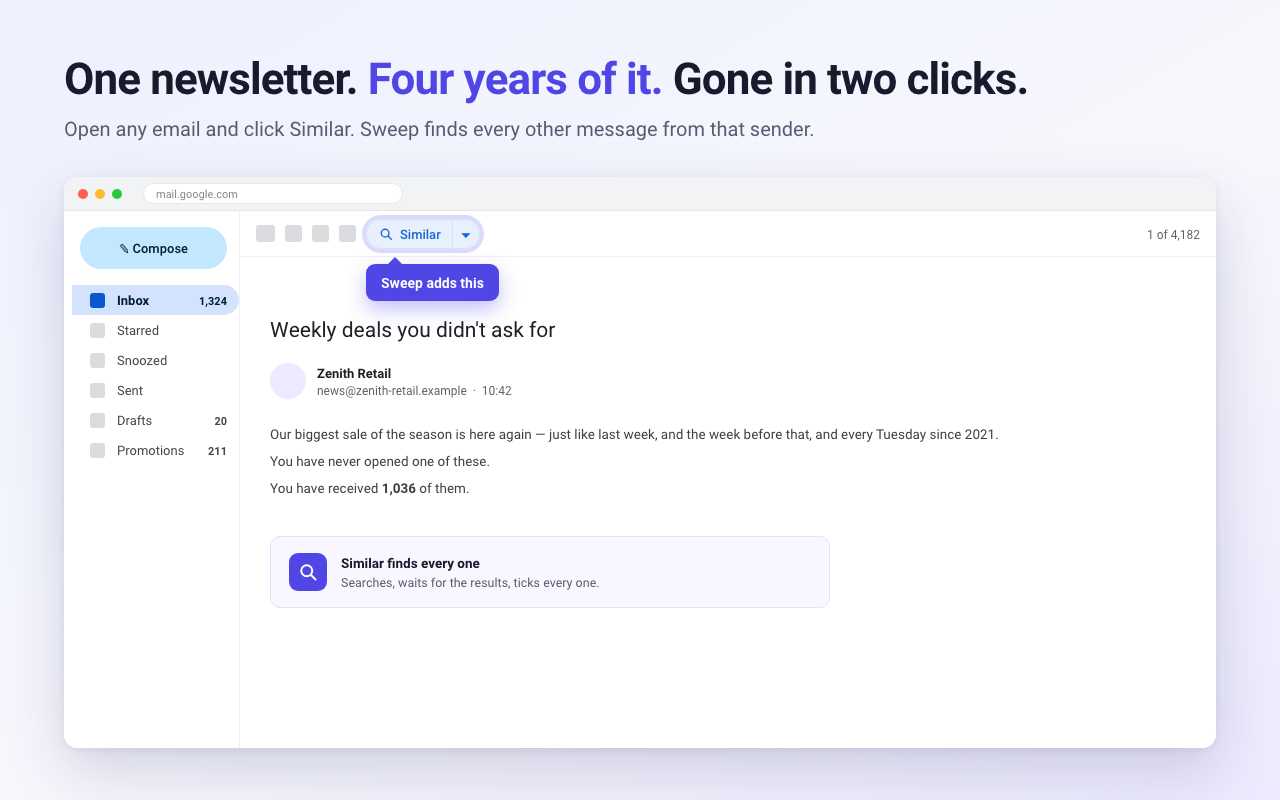
Gmail with Sweep's Similar button in the toolbar above an open newsletter

How it works

Three steps, and the last one is Gmail's.

1

Open an email

Any message from the sender you're tired of. Sweep reads who sent it.

2

Click Similar

Sweep searches your mail, waits for the results, and ticks every match — all of them, not just the ones on screen.

3

Press Delete

Gmail's own button. Everything goes to Trash, recoverable for 30 days.

Filter before you delete

Not everything from a sender is junk. Open the panel and keep what still matters.

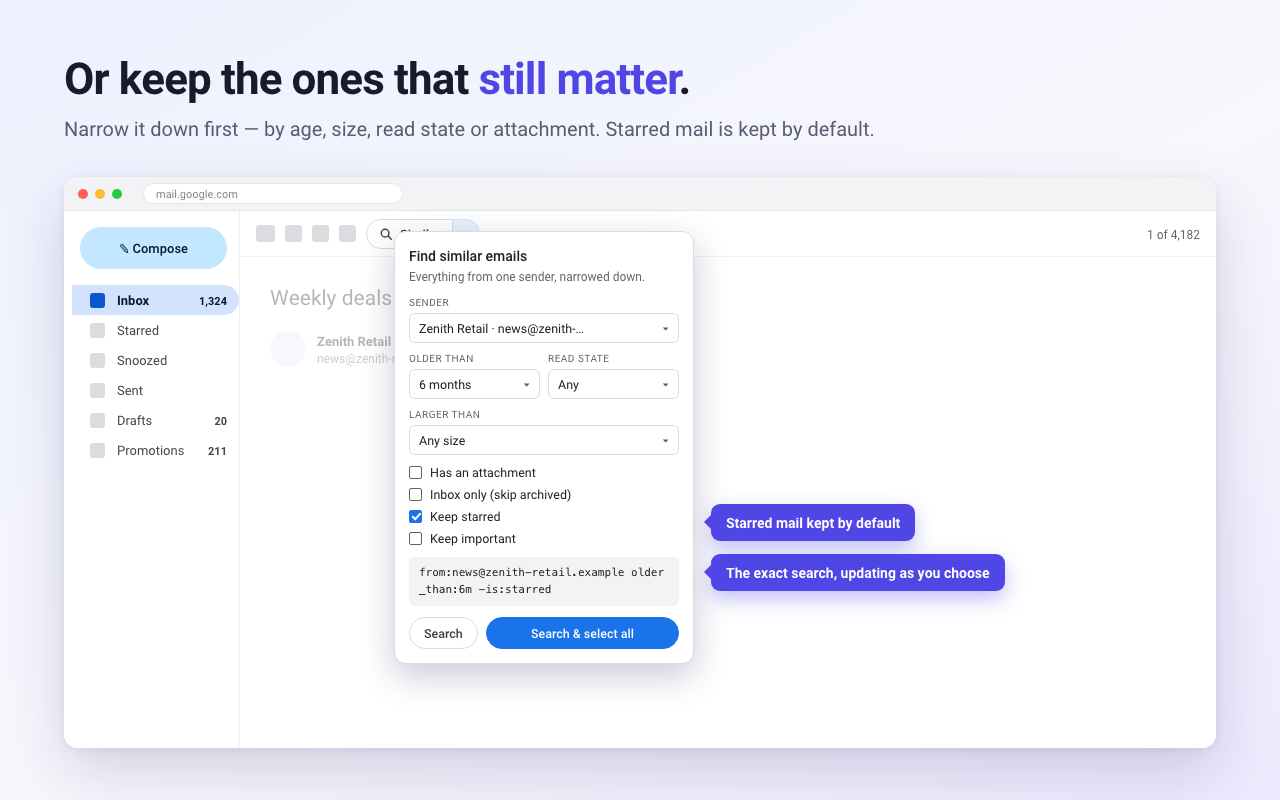
Sweep's filter panel showing age, read state, size and keep-starred options

Older than

7 days, 1 month, 6 months, 1 year or 2 years. Keep the recent ones.

Bigger than

1, 5, 10 or 25 MB. Reclaim storage first, worry about the rest later.

Read or unread

Delete what you've already seen. Or only what you never opened.

Keep starred

On by default. Important mail can be protected too.

Pagination at the bottom, where you are

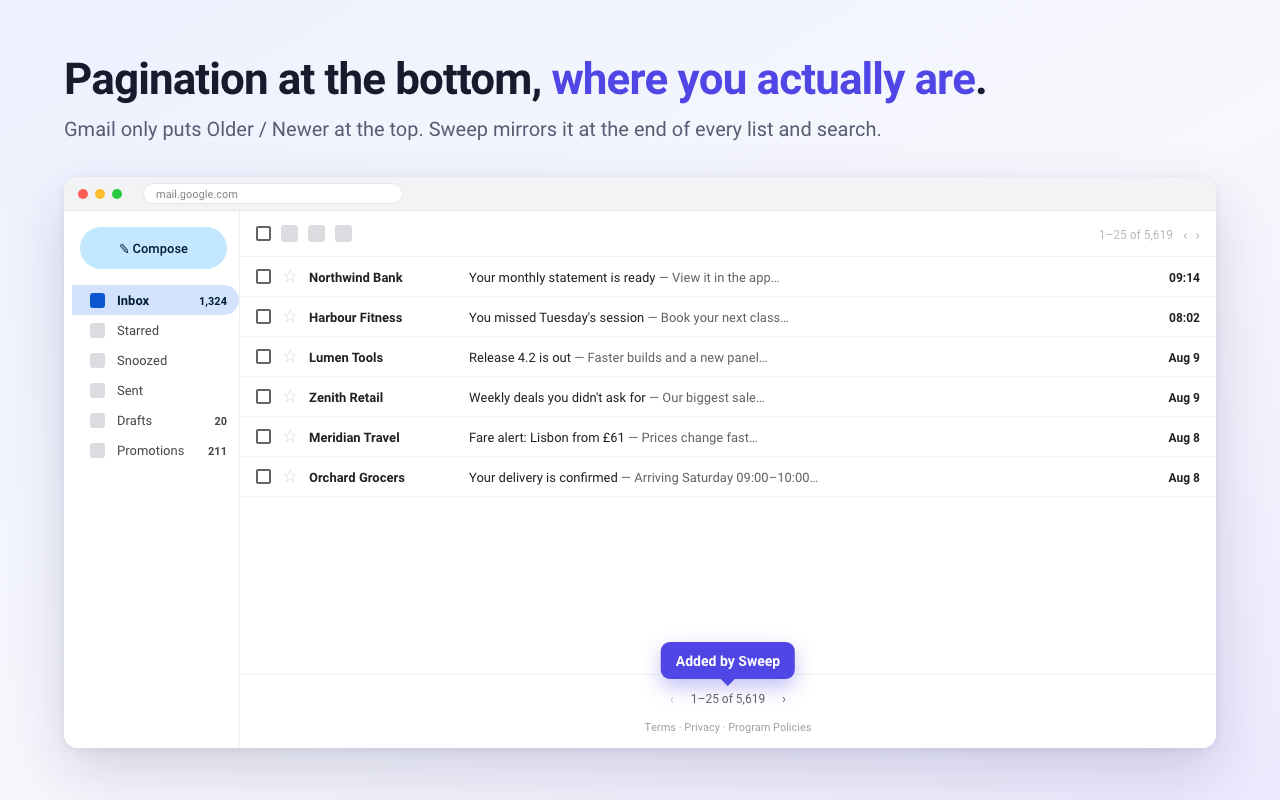
Gmail puts Older / Newer at the top of the list and nowhere else, so every page turn means scrolling back up. Sweep mirrors it at the end of every list and every search.

A second set of pagination arrows at the bottom of a Gmail message list

It cannot read your mailbox

Not "does not" — cannot. Sweep has no server and never asks for your Google account, so there is nowhere for your mail to go and nothing to connect to.

SweepTypical inbox cleaner
Sign in with GoogleNever askedRequired
Grants mailbox access to a serverNo server existsYes
Reads mail when your browser is closedImpossibleUsually
Network requestsNone at allContinuous
Source codePublicClosed

Read the privacy policy, or just read the code — it's one file.

Prefer to do it by hand?

Sweep is a shortcut, not a secret. Gmail can do this on its own — there's just one non-obvious step that limits most people to 50 messages at a time.

How to delete all emails from one sender in Gmail

The complete manual method, the search operators worth knowing, what actually frees up storage, and how to stop the pile rebuilding.

Read the guide

Questions

Can I get deleted mail back?

Yes. Sweep uses Gmail's Delete, which moves mail to Trash where it stays for 30 days. Sweep cannot delete permanently or empty Trash.

Does it work with multiple accounts?

Yes. It stays within whichever account you're using and never crosses between them.

How many can it delete at once?

Gmail caps bulk actions at about 1,000 conversations. For bigger cleanups, repeat — it takes seconds.

Does it unsubscribe me?

No. Sweep deletes what already arrived. Use Gmail's own unsubscribe link to stop new mail.